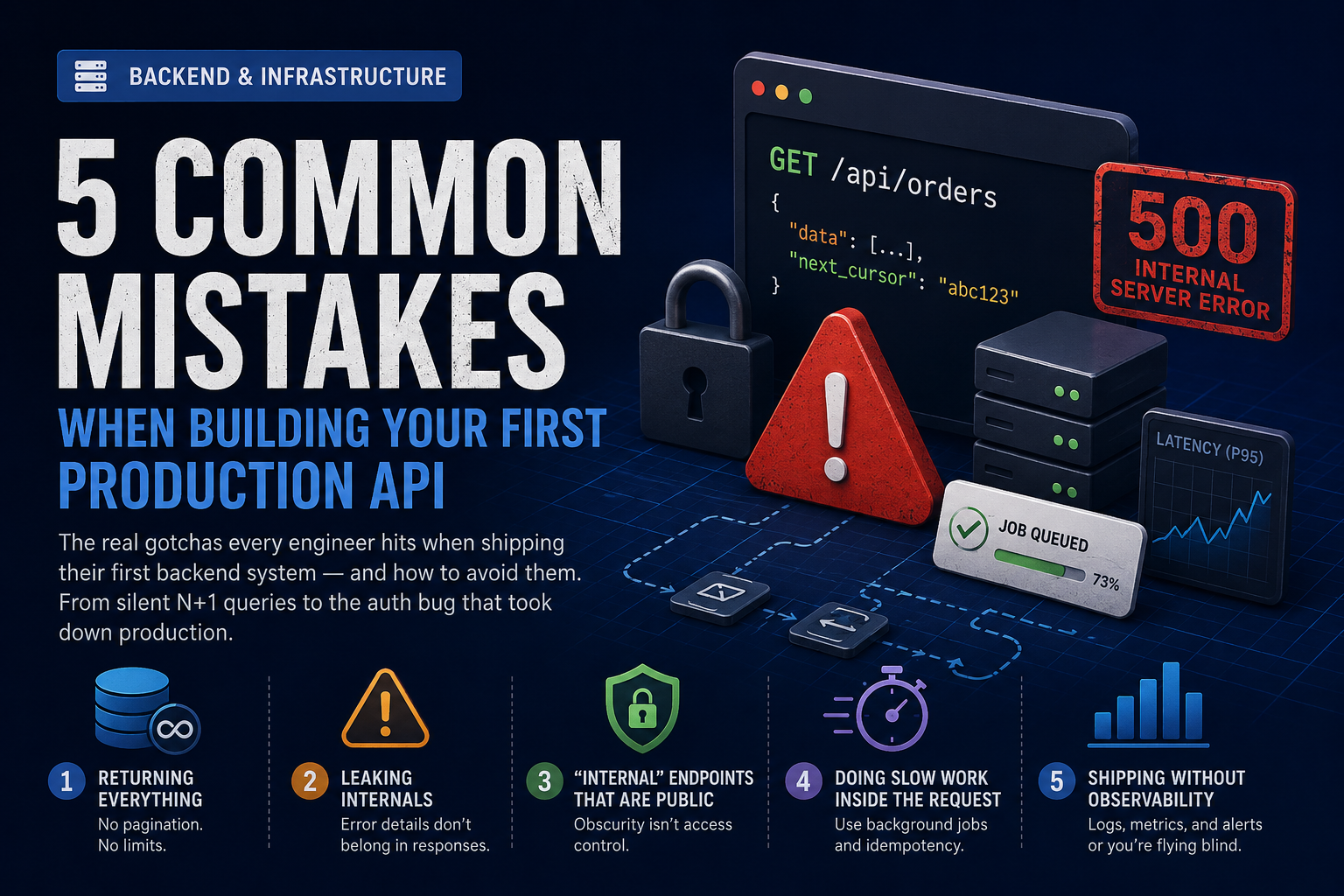
The first time you ship a backend that real users hit, you learn things the tutorials never warned you about. Things like: a 200ms endpoint on your laptop becomes a 12-second timeout on Monday morning, or that "internal" endpoint everyone forgot was internet-facing.
We've reviewed and rescued enough first-time production APIs to see the same patterns over and over. Here are the five that hurt the most — and what to do instead.
1. Returning Everything (No Pagination, No Limits)
The endpoint works perfectly in development. You have 23 users in your test database. Then a customer signs up with 80,000 records, and GET /api/orders times out, eats your server's memory, and takes the rest of the API down with it.
What goes wrong:
@app.get("/api/orders")
def list_orders(user_id: str):
    return db.query(Order).filter_by(user_id=user_id).all()
This works until it doesn't. There is no upper bound on the response size, no protection against a large account, and no way for a client to ask for "just the next 20."
Fix it with cursor-based pagination:
@app.get("/api/orders")
def list_orders(
    user_id: str,
    cursor: str | None = None,
    limit: int = 20,
):
    limit = min(limit, 100)  # hard cap, always

    query = db.query(Order).filter_by(user_id=user_id).order_by(Order.id)
    if cursor:
        query = query.filter(Order.id > cursor)

    rows = query.limit(limit + 1).all()
    has_more = len(rows) > limit
    rows = rows[:limit]

    return {
        "data": rows,
        "next_cursor": rows[-1].id if has_more and rows else None,
    }
Two rules that will save you:
- Every list endpoint has a hard
limitcap, enforced server-side. - Every list endpoint returns a pagination token, even if it's
nulltoday.
The same idea applies to request bodies. Cap upload sizes, cap array lengths in JSON payloads, cap query string lengths. If a value can grow with user data, it needs a ceiling.
2. Leaking Internals Through Error Responses
You hit an exception. Your framework helpfully renders a 500 with a full stack trace, the offending SQL query, and the database hostname. Now it's in your customer's browser console, in their error tracker, and probably in a screenshot in a support ticket.
The bad shape:
{
  "error": "psycopg2.errors.UndefinedColumn: column users.emial does not exist\nLINE 1: SELECT users.emial FROM users WHERE users.id = $1\n..."
}
That response tells an attacker your database engine, your schema, and that you have a typo waiting to be exploited. It also gives your frontend nothing useful to render.
Pick one error shape and use it everywhere:
class APIError(Exception):
    def __init__(self, code: str, message: str, status: int = 400):
        self.code = code
        self.message = message
        self.status = status

@app.exception_handler(APIError)
async def handle_api_error(request, exc: APIError):
    return JSONResponse(
        status_code=exc.status,
        content={"error": {"code": exc.code, "message": exc.message}},
    )

@app.exception_handler(Exception)
async def handle_unexpected(request, exc: Exception):
    logger.exception("unhandled error", extra={"path": request.url.path})
    return JSONResponse(
        status_code=500,
        content={"error": {"code": "internal_error", "message": "Something went wrong"}},
    )
The contract: known errors get a machine-readable code the client can branch on (invalid_email, quota_exceeded, order_not_found). Unknown errors get a generic 500 — the details go to logs, never the response body. Your frontend gets something stable to render against, and you stop leaking implementation details.
3. The "Internal" Endpoint That's Actually Public
This is the one that ends up in incident post-mortems. Someone needs to trigger a background job, so they add POST /admin/recalculate-balances. They mean to lock it down "later." It sits at the same domain as the public API, with no auth, for six months. Eventually someone finds it.
The mistake isn't writing the endpoint. It's the assumption that obscurity is access control. If it's reachable from the internet, it's public.
Default-deny at the framework level:
@app.middleware("http")
async def require_auth(request: Request, call_next):
    if request.url.path in PUBLIC_PATHS:
        return await call_next(request)

    token = request.headers.get("authorization")
    if not token or not verify_token(token):
        return JSONResponse(
            status_code=401,
            content={"error": {"code": "unauthorized", "message": "Authentication required"}},
        )

    return await call_next(request)
Two principles worth tattooing somewhere:
- The allow-list (
PUBLIC_PATHS) is short and audited. Everything else requires auth by default. - Admin endpoints don't live on the public API. Put them on a separate service, a separate hostname, behind a VPN or an IP allow-list — not just behind a different URL prefix.
Bonus mistake in the same family: trusting X-User-Id from a request header because "only our frontend sets it." Your frontend isn't the only client that can send headers.
4. Doing Slow Work Inside the Request
A user uploads a CSV. Your handler parses it, validates 8,000 rows, calls a third-party API for each one, writes them to the database, sends a confirmation email, and returns 200. On the user's first try it took 47 seconds and their browser gave up. On the second try they refreshed and you ran the whole thing twice.
The request-response cycle is for fast, deterministic work. Anything that:
- Takes longer than ~1 second
- Calls a third-party API that can fail or rate-limit
- Sends an email, SMS, or push notification
- Processes a file
- Could reasonably be retried
…belongs in a background job, not in the request handler.
The pattern:
@app.post("/api/imports")
async def create_import(file: UploadFile, user: User = Depends(current_user)):
    import_job = await ImportJob.create(
        user_id=user.id,
        filename=file.filename,
        status="queued",
    )
    await save_to_object_storage(import_job.id, file)
    await queue.enqueue("process_import", import_job_id=import_job.id)

    return {"import_id": import_job.id, "status": "queued"}

@app.get("/api/imports/{import_id}")
async def get_import(import_id: str, user: User = Depends(current_user)):
    job = await ImportJob.get(import_id, user_id=user.id)
    return {"status": job.status, "processed": job.processed, "total": job.total}
The request returns in milliseconds with a job ID. The client polls (or subscribes to a WebSocket, or waits for a webhook). The actual work happens in a worker process that can retry, scale independently, and be monitored separately.
A close cousin of this mistake: forgetting idempotency on the same endpoints. The user hits "Submit" twice, you charge their card twice. Accept an Idempotency-Key header on every state-changing endpoint and store the result for at least 24 hours.
5. Shipping Without Observability
Your API is in production. A customer messages support: "It's broken." You open your terminal. You have… print statements. Maybe a log file you have to SSH in to read. You have no idea how often the endpoint is failing, how slow it is, or what changed when.
This is the cheapest mistake to fix and the one that hurts the most when you haven't. Three things every production API needs, day one:
Structured logs with request context:
import structlog

logger = structlog.get_logger()

@app.middleware("http")
async def log_request(request: Request, call_next):
    request_id = request.headers.get("x-request-id", str(uuid4()))
    structlog.contextvars.bind_contextvars(
        request_id=request_id,
        path=request.url.path,
        method=request.method,
    )

    start = time.monotonic()
    response = await call_next(request)
    duration_ms = (time.monotonic() - start) * 1000

    logger.info(
        "request_completed",
        status=response.status_code,
        duration_ms=round(duration_ms, 1),
    )
    response.headers["x-request-id"] = request_id
    return response
When a customer reports a problem and gives you a request ID, you can grep across every service that touched the request.
Metrics on the things that matter: request rate, error rate, p50/p95/p99 latency, per-endpoint. Prometheus and a Grafana dashboard get you 90% of the value of any expensive APM tool. Set up alerts on the rates, not on individual errors.
Error aggregation: Sentry, Honeybadger, Rollbar — pick one. The goal isn't to log errors, it's to group them, see frequency, and know within a minute when a deploy starts a new fire.
Once these three are in place, "the API is slow" stops being a guessing game.
A Quick Pre-Flight Checklist
Before you call your API "production ready," walk through this:
- Every list endpoint has a server-side
limitcap and pagination. - Errors return a stable shape; stack traces stay in logs.
- Auth is default-deny. Admin endpoints aren't on the public API.
- Anything slower than ~1s is in a background job.
- Write endpoints accept
Idempotency-Key. - Every request has a request ID, structured logs, and a duration metric.
- You have alerts on error rate and p95 latency.
- You can answer "is the API healthy right now" in under 30 seconds.
None of these are clever. They're the boring stuff that separates an API that survives its first real customer from one that doesn't. Build the boring stuff first.
Conclusion
First-time production APIs fail in remarkably similar ways. The good news: every mistake in this list is fixable with patterns that take an afternoon to apply and pay off forever. Pick the one that scares you most and start there.
If you've already shipped and you're staring at one of these in your codebase right now — that's normal. We've helped teams retrofit pagination, auth, and observability into systems that were already in production. None of it requires a rewrite. It just requires deciding the boring stuff matters.